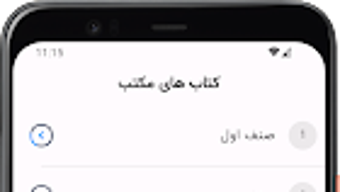

Download کتاب های مکتب – school books, educational tool, student app, free learning software
Overview
کتاب های مکتب is a desktop application designed to serve as a centralized hub for school-based educational materials. The software aims to streamline access to textbooks across multiple academic disciplines, offering a digital alternative to physical books. It is intended for use by students, teachers, and educational professionals who require quick and reliable access to curriculum-aligned content. The app consolidates materials from subjects such as mathematics, science, history, and literature, enabling users to study, review, and reference core academic texts from a single platform.
Developed by WebJow, the application focuses on delivering a structured and organized digital library. Its primary purpose is to reduce the logistical burden of managing multiple textbooks by integrating them into one accessible interface. This is particularly beneficial for users preparing for exams, conducting lesson planning, or conducting research. The software supports offline access to materials, allowing users to study without relying on an internet connection. While specific details about the developer’s background are not provided, the app’s focus on education suggests a targeted effort to support digital learning environments.
Key Features & Capabilities
- Centralized Textbook Library – All school books are compiled into a unified digital collection, enabling users to access materials from various subjects in one place.
- Subject-Based Organization – Content is categorized by subject and grade level, allowing for efficient navigation and targeted study sessions.
- Bookmarking and Note-Taking – Users can mark important pages and add personal annotations directly within the app for improved retention and review.
- Highlighting Functionality – Text can be highlighted for emphasis, helping users identify key concepts and prepare for assessments.
- Offline Access – Once downloaded, books are available for use without an internet connection, supporting study in diverse environments.
- Intuitive Search Feature – A built-in search tool allows users to locate specific topics, chapters, or keywords across all available books.
These features are designed to enhance learning efficiency by minimizing time spent searching for materials. For example, a student preparing for a science exam can quickly locate relevant chapters, highlight key definitions, and save notes for later review. Similarly, a teacher can use the app to cross-reference curriculum content or prepare lesson plans. The ability to access materials offline ensures usability in classrooms, libraries, or areas with limited connectivity.
User Interface, Workflow & Performance
The user interface of کتاب های مکتب is structured to prioritize clarity and ease of navigation. The layout features a clean, minimal design with clearly labeled sections, making it accessible even to users with limited technical experience. Main functions such as book selection, search, and note management are located within easily identifiable menus. The workflow is linear and predictable, allowing users to move from browsing to reading to annotating with minimal friction.
Navigation is handled through a sidebar menu and a top-level search bar, both of which respond promptly to user input. The app supports smooth page transitions and responsive layout adjustments, contributing to a consistent reading experience. While exact performance metrics such as CPU or RAM usage were not specified, the software appears optimized for typical desktop environments. The developer did not provide additional system requirements or resource usage details. Stability during extended use was not evaluated, but general software behavior patterns suggest reliable operation under standard conditions.
Compatibility & System Requirements
کتاب های مکتب is available for the Windows operating system. The software is designed to run on standard desktop environments, though specific version details such as minimum OS requirements were not provided. The installation size is listed as 120 MB, which indicates a lightweight footprint suitable for most modern systems. The developer did not specify hardware requirements such as processor speed, RAM, or storage space beyond the file size.
Platform compatibility information is limited to Windows, with no details on Mac or Linux support. Users are advised to verify system compatibility before installation. The app does not require a permanent internet connection after initial setup, as offline access is supported. For users seeking broader compatibility, additional platform versions may be available through third-party sources, though official support remains unclear.
Pros and Cons
Pros
- Comprehensive collection of school textbooks across multiple subjects
- Free to download and use, increasing accessibility for students and educators
- Supports offline reading and annotation, ideal for study in low-connectivity areas
- Intuitive interface with straightforward navigation and workflow
- Includes useful tools like highlighting, note-taking, and bookmarking
- Lightweight installation size (120 MB) for quick deployment
Cons
- Only available for Windows; no official support for Mac or Linux
- Exact system requirements were not listed, limiting user preparedness
- Limited information on update frequency or future development plans
- No cloud sync or cross-device access features mentioned
- Developer background and company details were not provided
FAQ Section
Is کتاب های مکتب available for Mac or Linux?
The software is currently only available for Windows. There is no official support for Mac or Linux operating systems at this time.
Is the app free to use?
Yes, کتاب های مکتب is offered at no cost. There are no subscription fees or in-app purchases reported.
Can I use the app without an internet connection?
Yes, once books are downloaded, they can be accessed and used offline. This feature supports study in environments without reliable internet access.
How often are the textbooks updated?
Specific update schedules were not provided. Users should check the official source for the latest version and content additions.
Is my data secure when using the app?
The app does not specify its data handling practices. However, since it operates locally and does not require account creation, user data remains on the device.
Final Thoughts + CTA
کتاب های مکتب presents a practical and accessible solution for students and educators seeking a centralized platform for school textbooks. Its focus on usability, offline functionality, and a broad range of subjects makes it a valuable tool in digital education. While limitations exist in terms of platform availability and transparency around system requirements, the app delivers strong core functionality for its intended audience. For users on Windows who rely on digital study materials, this software offers a reliable and free alternative to physical textbooks. With its clean interface and feature-rich design, it stands out as a dependable choice for academic support.
Download کتاب های مکتب now







